Exploring Social Features for Spotify
A design exploration into the social layer Spotify never quite built.
This project is personal and has no official relation to Spotify. Since then, Spotify has introduced some social features of their own, which, if anything, validates the thinking behind this exploration.
Why This
Music has always been social for me. I've been on Spotify for almost a decade, and I've always been curious about what my friends are listening to, even if Spotify's algorithm is better at giving me what I already know I'll enjoy. Yet for a platform this woven into people's daily lives, Spotify's social features in 2022 felt like an afterthought. No easy way to share a discovery with someone specific. No way to know which of your friends have been obsessing over the same artist. No real sense of the people on the other side of the playlist.
This project was my excuse to sit with that frustration and design my way through it. It's also a challenge I gave myself as a designer: recreate Spotify's UI components from scratch with enough fidelity to design new features that feel native to the product, and explore ideas in a space where the bar for craft is already high.
The Challenge
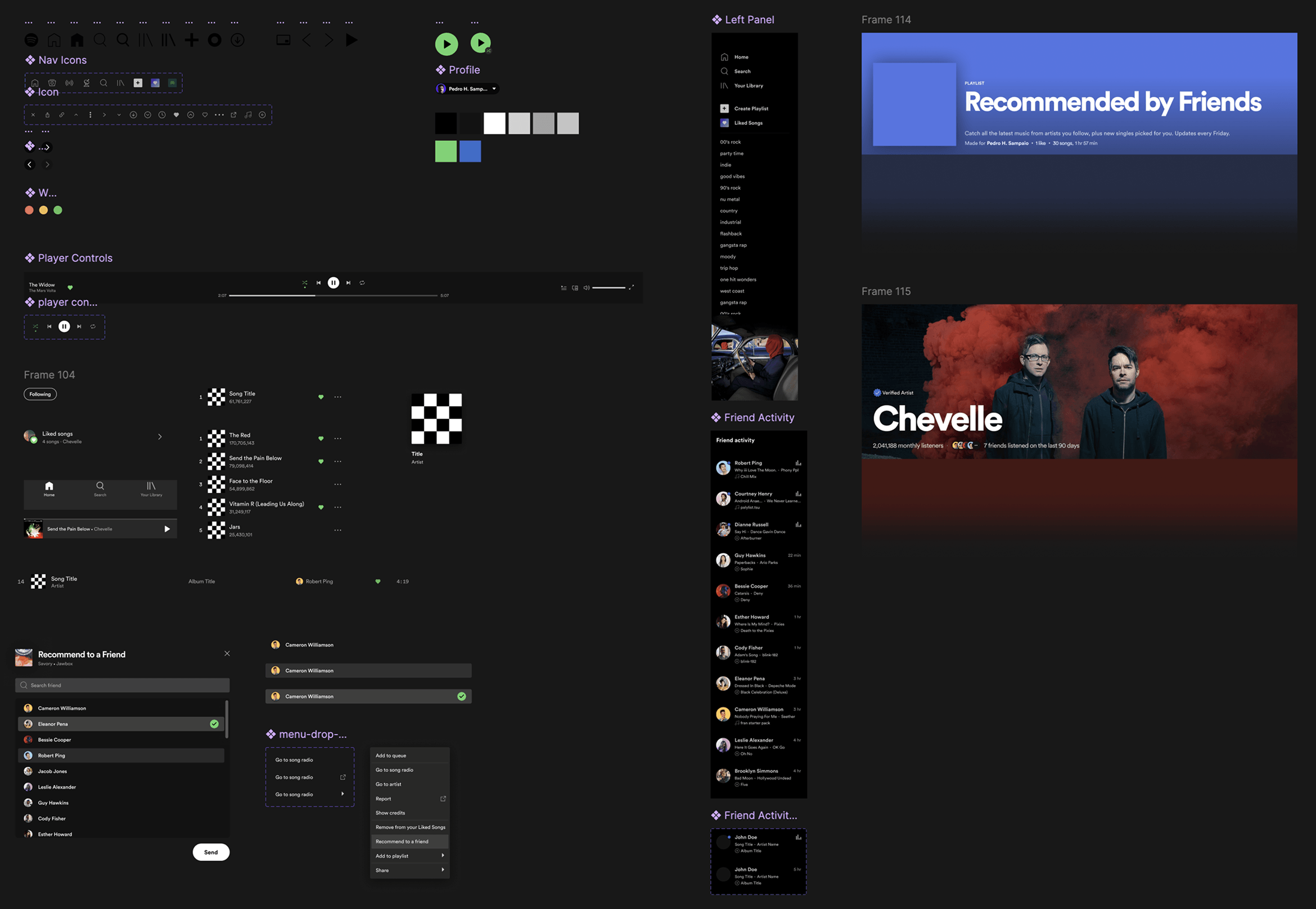
Before designing a single screen, I needed to closely study and reproduce Spotify's UI components (buttons, cards, type styles, icons, color) well enough to design new features that felt like they genuinely belonged. Not a full design system by any stretch, but enough of a foundation to work with real fidelity rather than approximation.
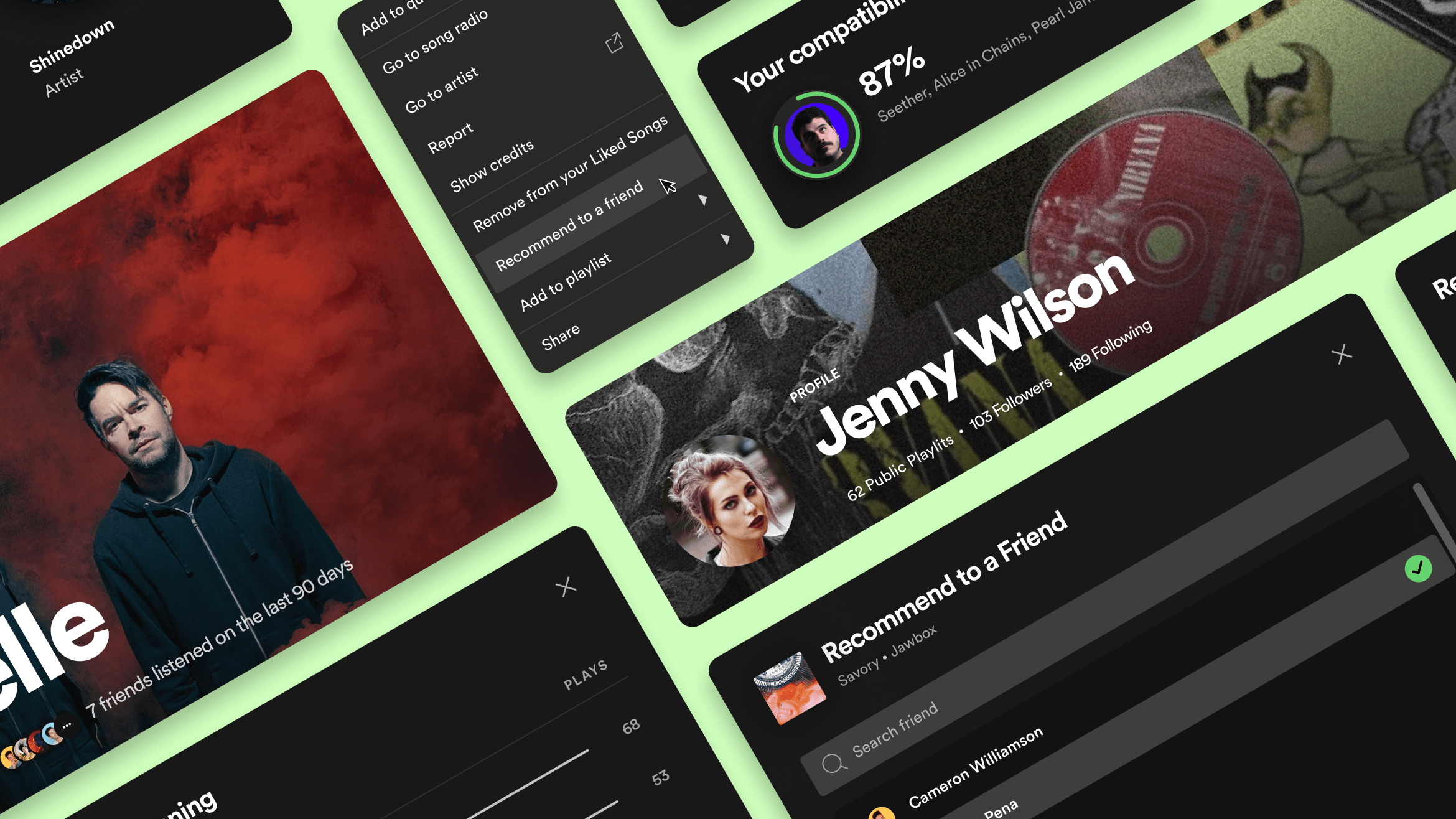
Once I had the foundation, I focused on four concepts: a weekly social chart built from your friends' listening activity, a way to see which friends have been listening to an artist you love, a feature to recommend songs directly to people you follow, and an enhanced profile that surfaces music taste compatibility between users.
Weekly Friends Chart
Digital influencers pull millions of followers toward whatever they're listening to, but your actual friends, the people whose taste you actually trust, have no equivalent way to share what they've been into this week. The Weekly Friends Chart is a curated playlist built from the top songs of everyone you follow, updated weekly and surfaced alongside your other Discover playlists.
The design challenge was presenting this in a way that felt native to Spotify's home experience without cluttering it, while making the “friends” context visible enough to feel meaningful rather than just another algorithmic playlist. The friend activity sidebar on the right mirrors the existing right-panel pattern, while the chart itself uses familiar playlist card conventions with a social twist.
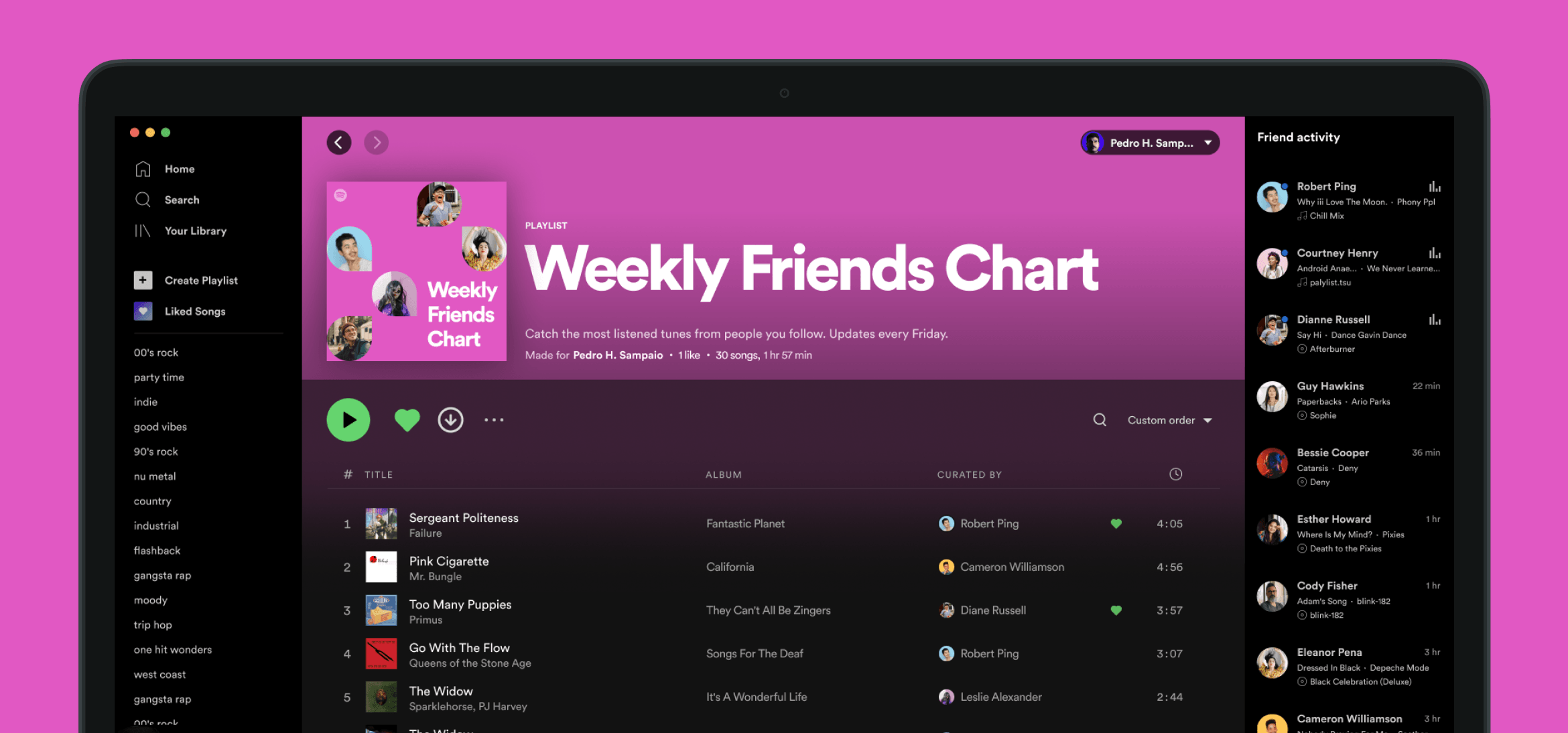
Weekly Friends Chart, built from the listening activity of people you follow.
See Which Friends Have Been Listening
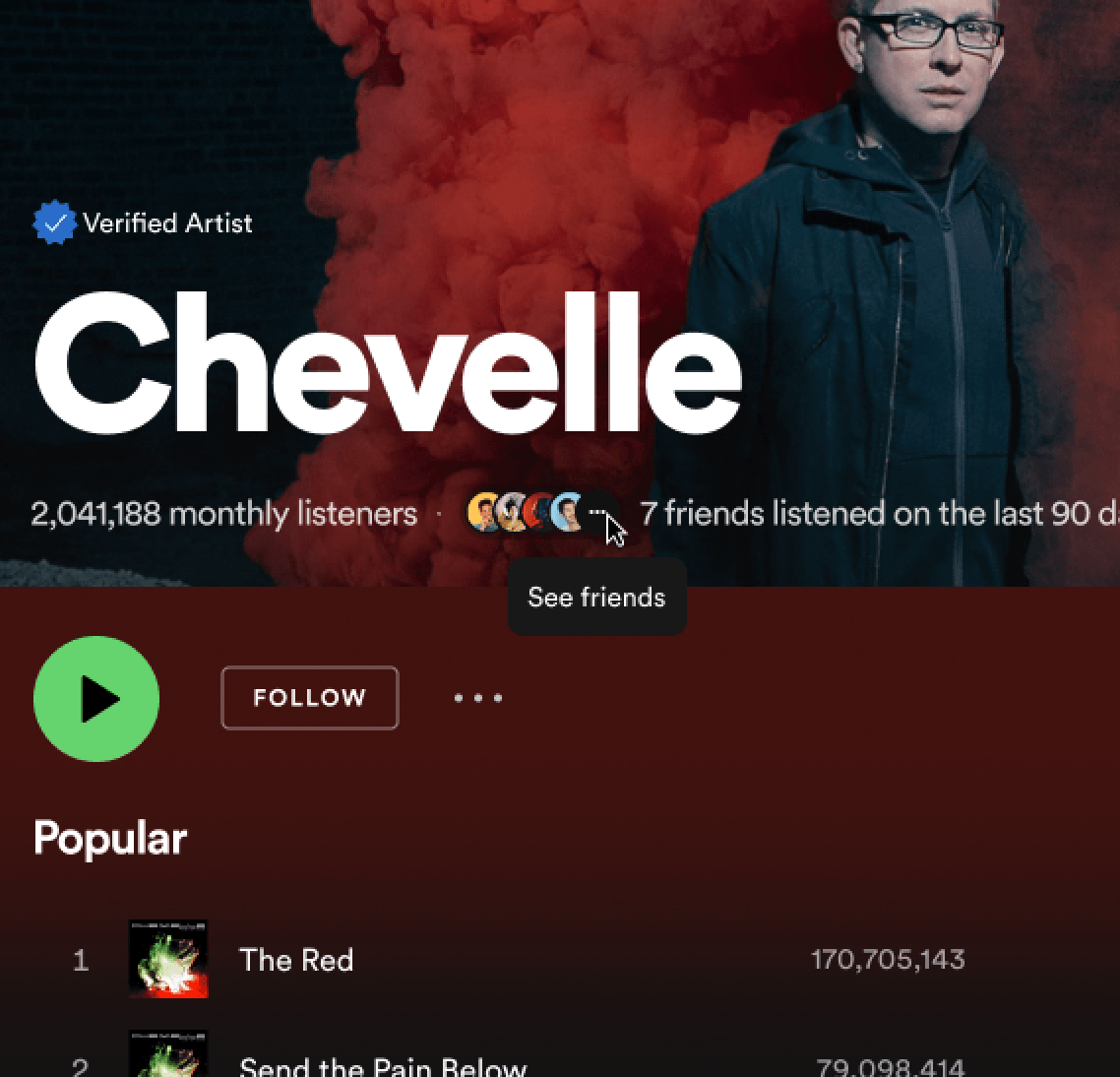
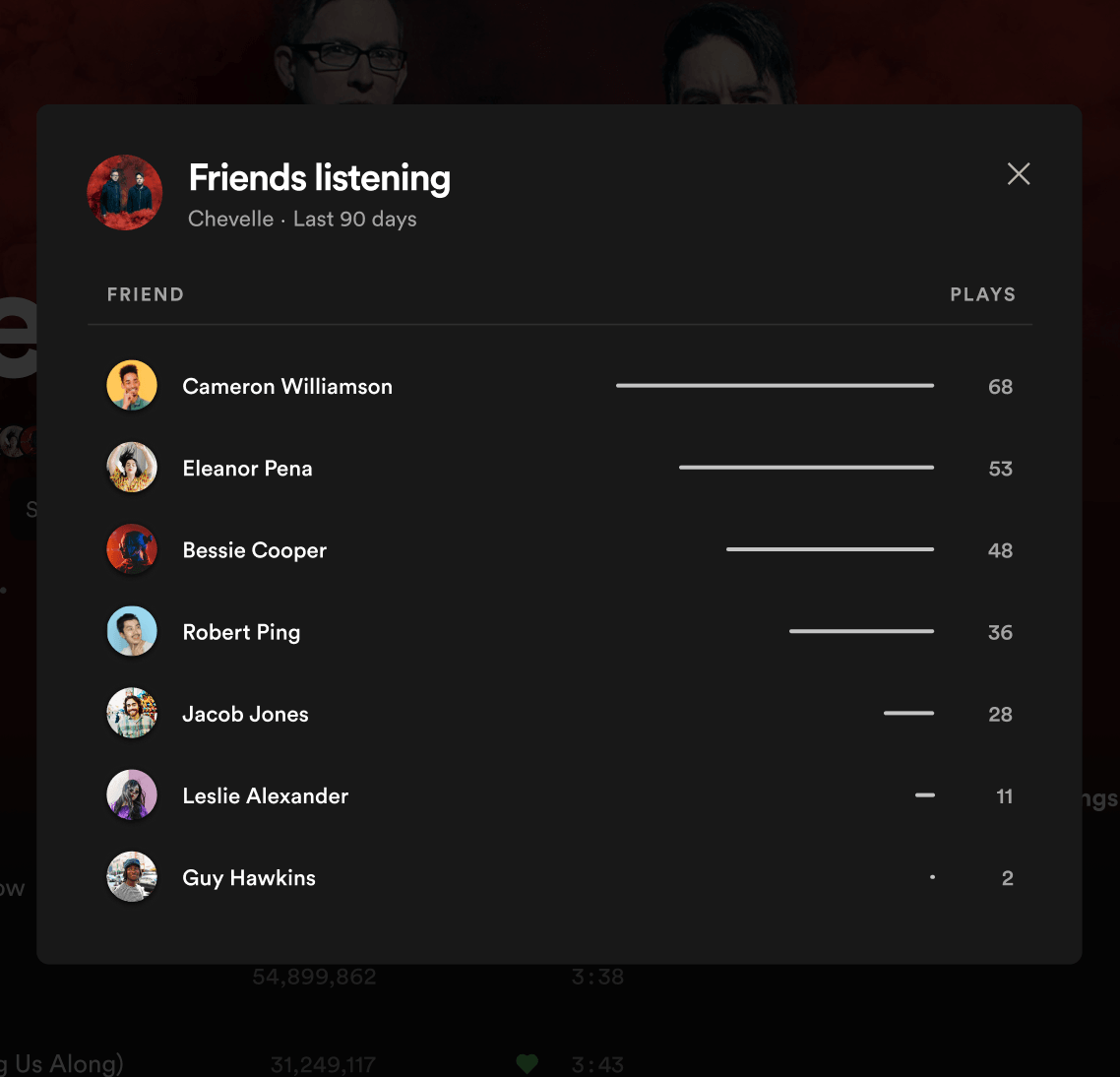
When you discover that a friend loves the same artist you do, it changes how you relate to that music. Yet on Spotify today, that discovery only happens by accident: a chance Spotify Wrapped post, or a conversation that happens to come up. This feature surfaces friend listening activity directly on artist pages, showing small avatars of friends who've listened in the last 90 days next to the monthly listener count.
Tapping “See Friends” opens a panel with each friend's name, and their play count. It's a small addition to an existing page, but the design intent is significant: it transforms a passive listening page into a subtle social object.
Recommend a Song to a Friend
Spotify's recommendation engine is exceptional at surfacing music you might like, but it has no way to send a specific song to a specific person. This feature adds a “Recommend” option to the track action menu (Image 1), letting you select one or more friends to send it to (Image 2). On the receiving end, the song lands in a “Recommended by Friends” playlist (Image 3), a curated, human-powered inbox for music discovery that lives alongside your algorithmic playlists.
The flow was designed to stay minimal: three steps, no new navigation layer, no separate messaging UI. The social action lives where people already interact with songs, and the recommendation arrives where people already go to find new music.
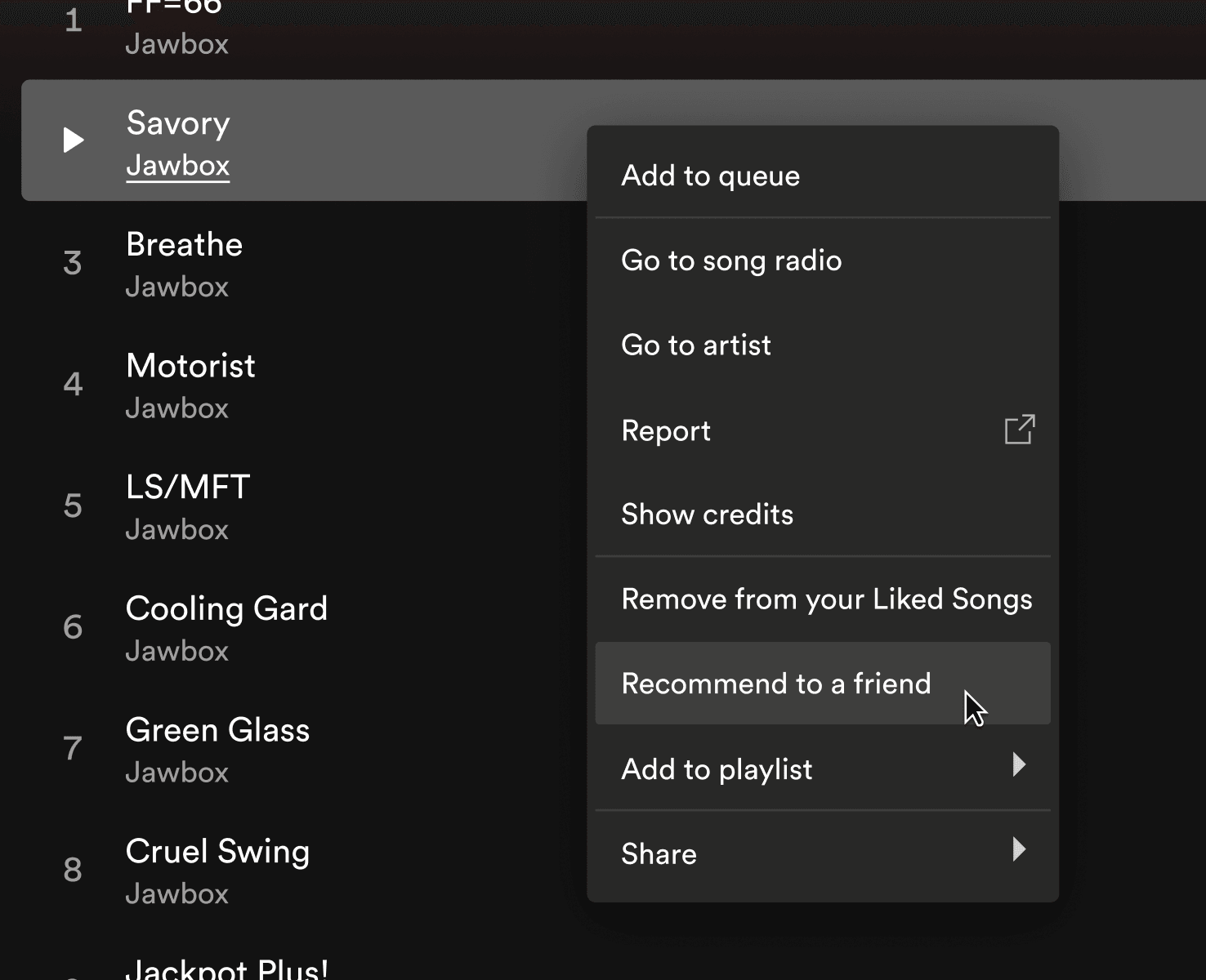
Use the action menu to recommend a song to a friend.
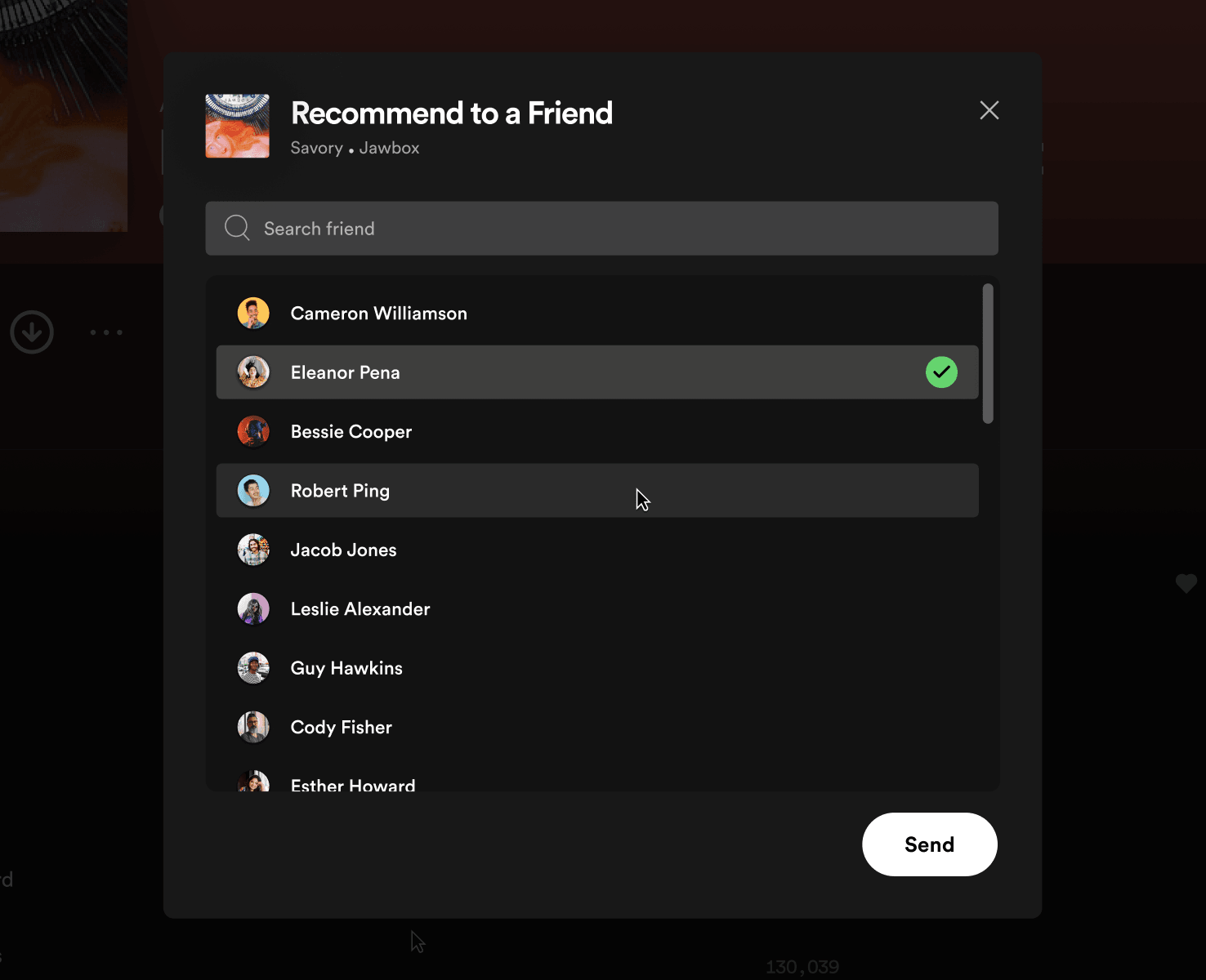
Select one or more friends to recommend the song to.
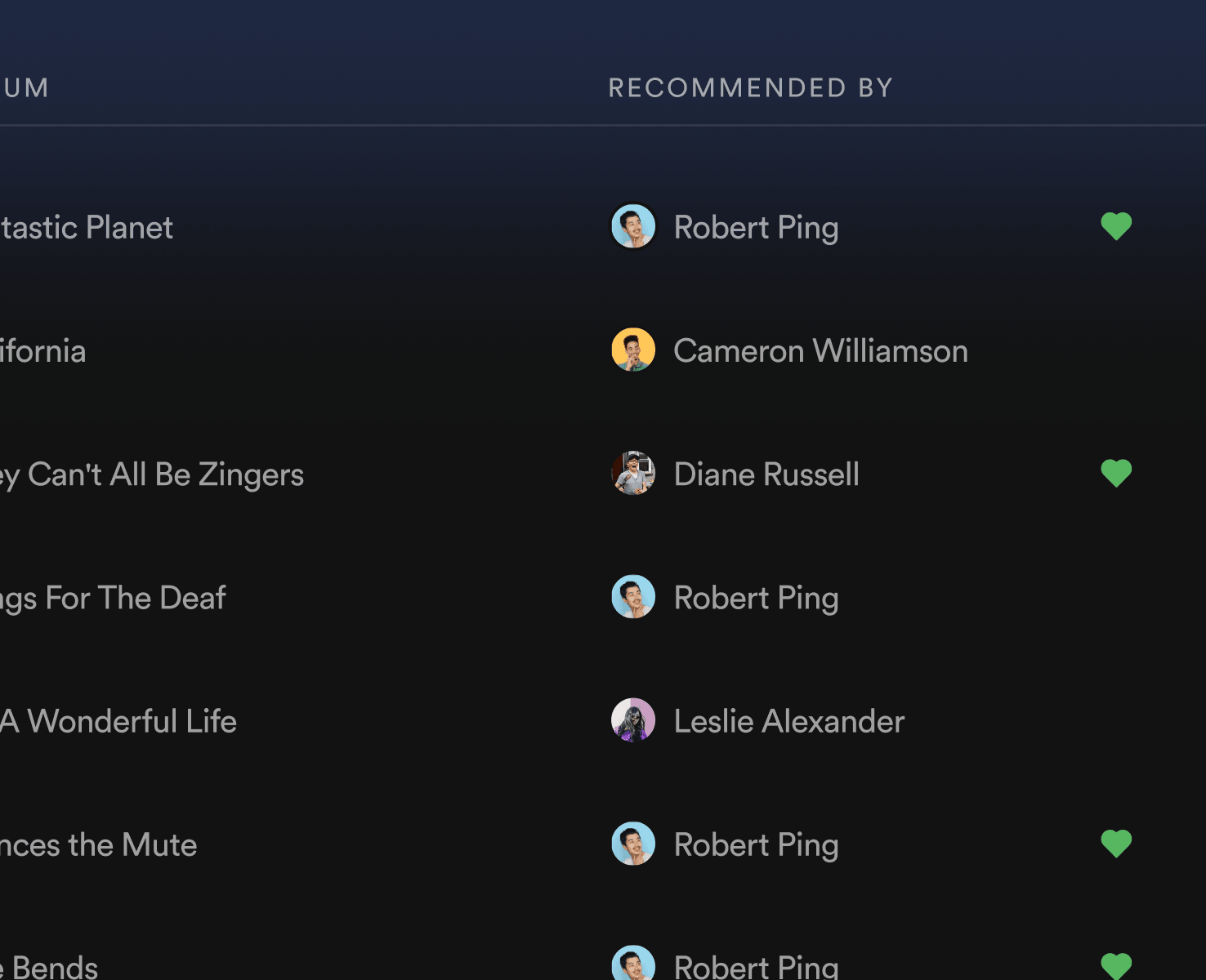
On your friend's side, the song is added to a new 'Recommended by Friends' playlist.
Enhanced Profile with Listening Activity & Music Taste Compatibility
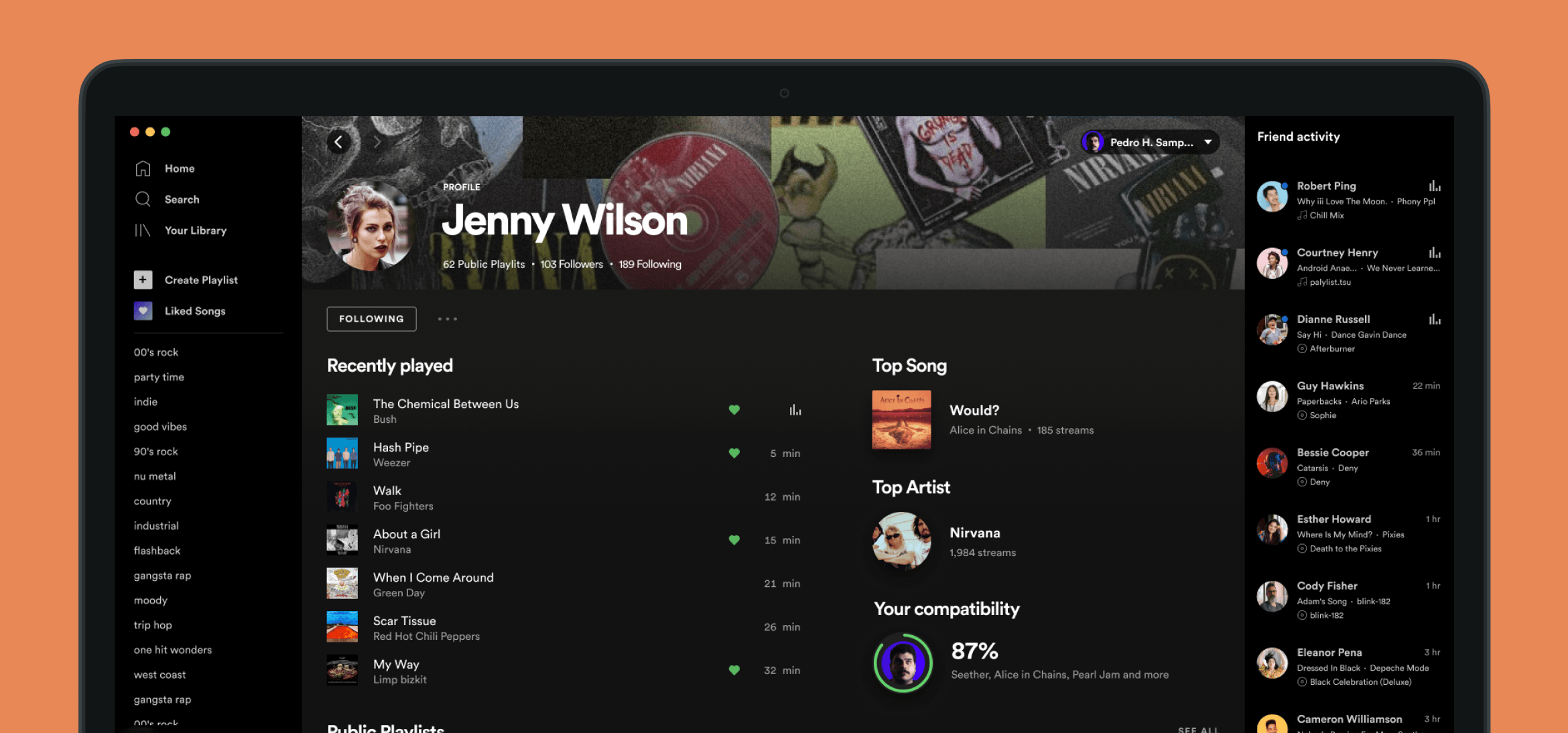
Spotify profiles back in 2022 (and today still) are sparse: a follower count, a few public playlists, and not much else. This concept expands the profile into a genuine window into someone's musical identity, with recently played tracks, their top song and top artist of the moment, and a compatibility score showing how much your music tastes overlap.
The compatibility percentage is the centerpiece. It's a lightweight but surprisingly revealing metric, and seeing it on a friend's profile immediately creates a talking point.
Reflection
This project started because I was frustrated with an app I love, and ended as a lesson in constraint. Working within someone else's visual language, without access to their actual files, forces a kind of attention you don't develop any other way. It reminded me what it feels like to really look at a UI, to reverse-engineer why something works.
The more I worked on this, the more I noticed how much of the joy of music is about other people, and how little of that Spotify's product actually captures. Not because it's hard to build, but because it's hard to get right. Designing social features that don't feel tacked on is a genuinely difficult problem, and working through it, even as a side project with no brief and no stakeholders, gave me a deeper appreciation for why so few products do it well.
In the end, I just designed the version of Spotify I actually wanted to use.